
Your fleet, fully in view.
AF Fleet gives fleet owners visibility and control over every vehicle and driver — trips, earnings, and documents, all in one dashboard.
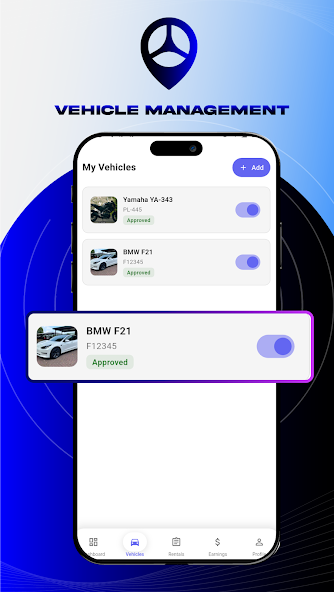
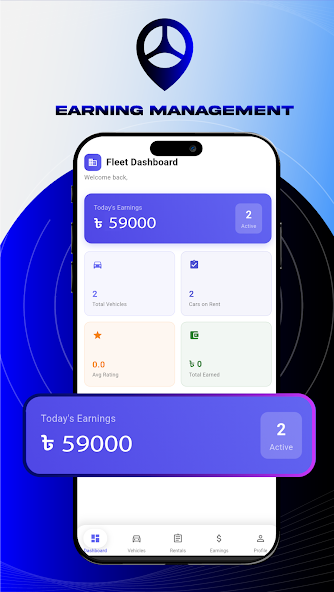
See AF Fleet in action

Getting your fleet online
Sign up as a fleet owner
Verify with an OTP and set up your fleet owner account.
Add your vehicles
Register each vehicle with its documents for verification.
Assign drivers
Bring your drivers onto the platform and assign them to vehicles.
Monitor & manage
Track trips, earnings, and document status from your dashboard.
Everything you need to manage a fleet
Vehicle management
Add, edit, and track every vehicle in your fleet in one place.
Driver assignment
Assign drivers to vehicles and monitor their status at a glance.
Trip visibility
See trip history and activity across your entire fleet.
Earnings & payouts
Track revenue and transaction history for every vehicle you manage.
Document tracking
Keep vehicle registration, fitness, and insurance status up to date.
Push notifications
Stay informed the moment something needs your attention.
Fleet Owner FAQs
You can register and manage multiple vehicles under a single fleet owner account, each tracked individually on your dashboard.
The revenue split between the platform, driver, and fleet owner is shown in your fleet dashboard, and earnings are credited to your in-app wallet after deductions.
You can assign and reassign drivers to your vehicles as needed — all assigned drivers must independently pass driver verification first.
You’ll need to update the document promptly. Vehicles with expired or invalid documents may be suspended pending compliance.
Bring your fleet onto AFRide
Download AF Fleet and start managing smarter today.